A plugin for Sanity Studio
A calm, full-screen place to write.
Writing Room is a focused place for long-form writing, right inside your Studio. It gets out of the way while you type, and works with the document types you already have.
$ npm install sanity-plugin-writing-roomMost Studios put writing in a form.
Panes, field labels and a toolbar around every sentence. That suits structured content, and it is hard to think in. The room is the same document, with everything but the words set aside.
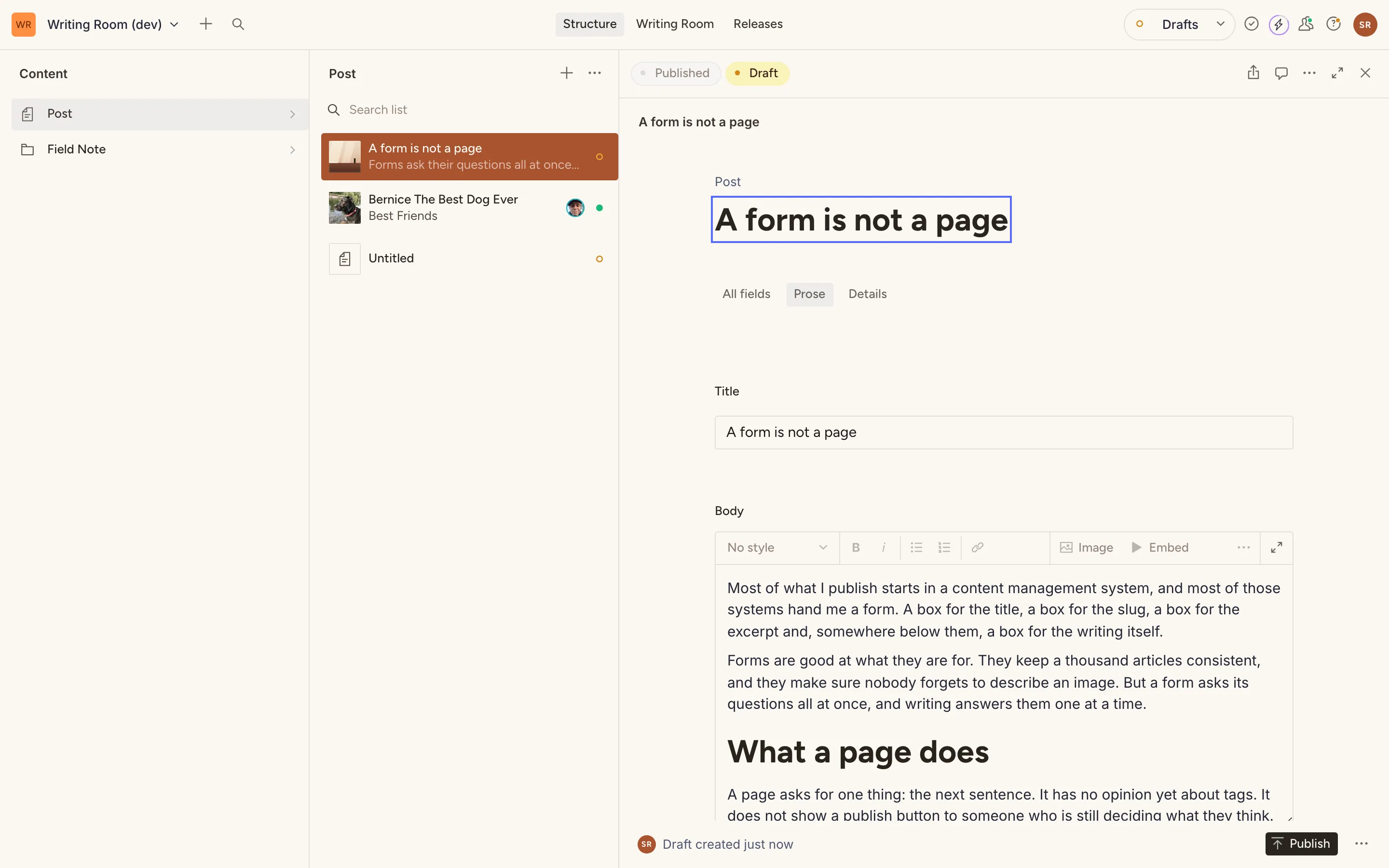
The Studio form
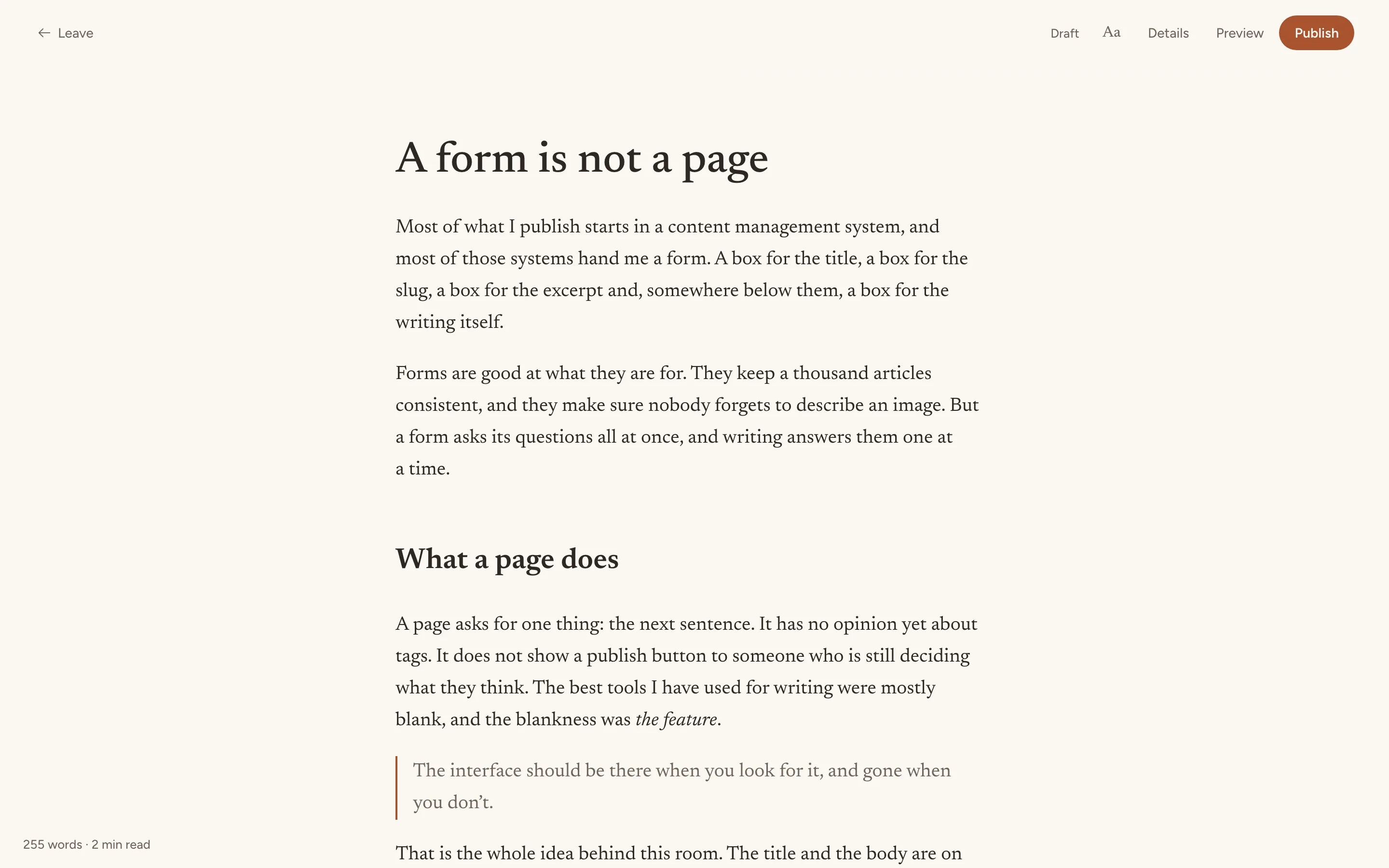
The same Post, in the room
What's in the room
Controls that recede
Leave, Details, Preview and Publish fade after a few keystrokes and come back when you pause.
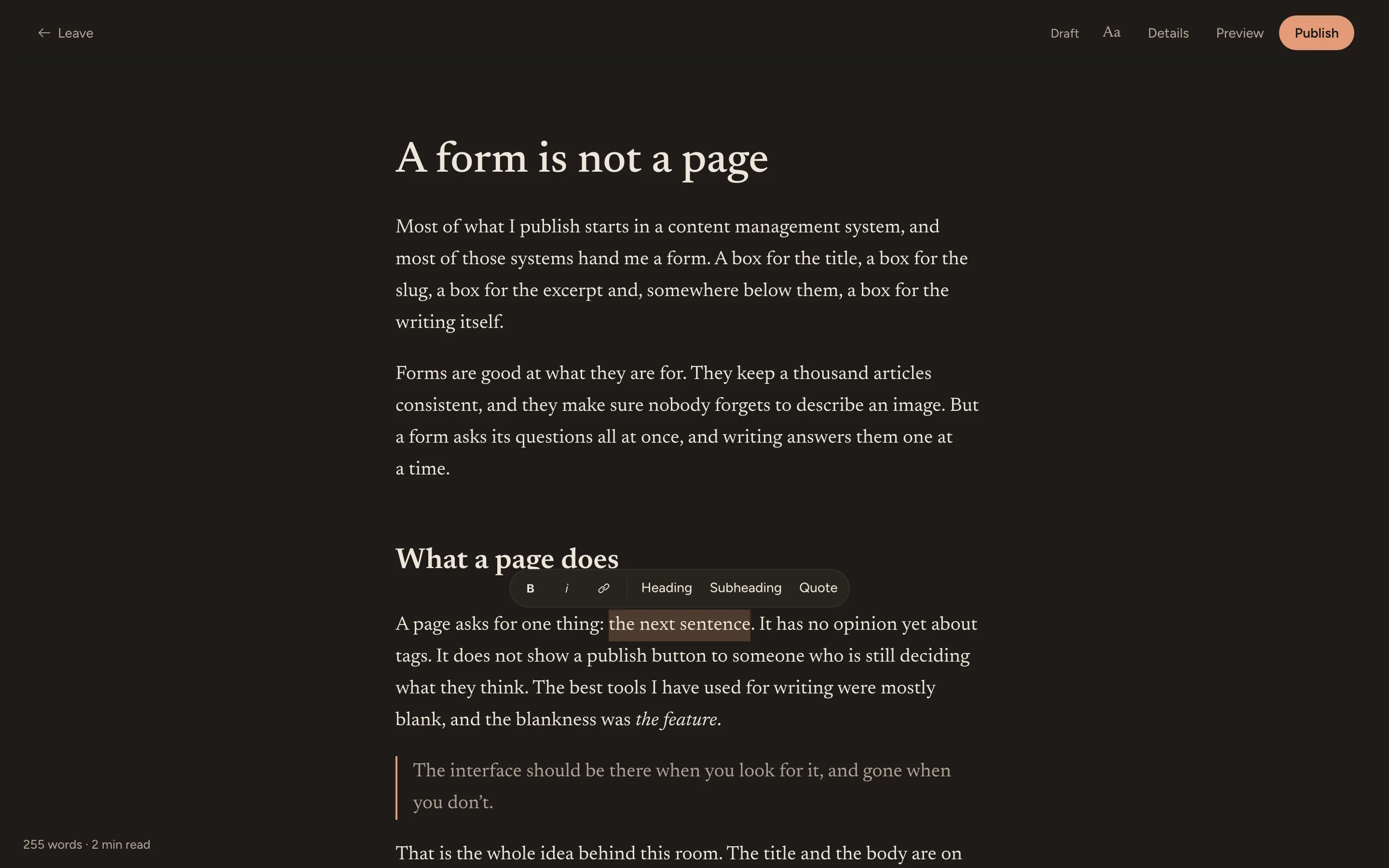
Formatting on selection
Bold, italic, headings, quotes and links in a small bubble above the text you select. Markdown works as you type, too.
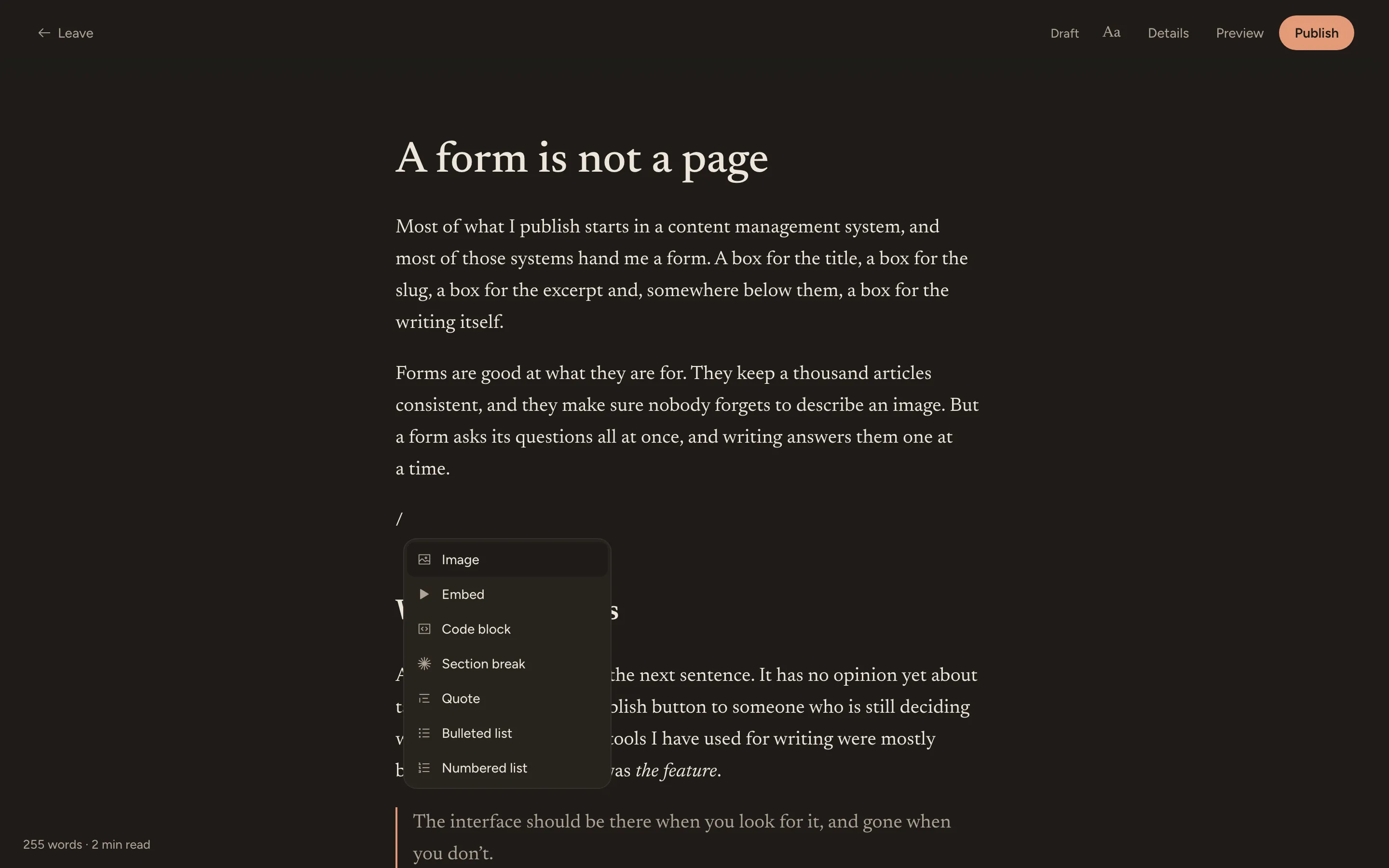
An insert menu
Type / on an empty line for images, embeds, code blocks, section breaks, quotes and lists.
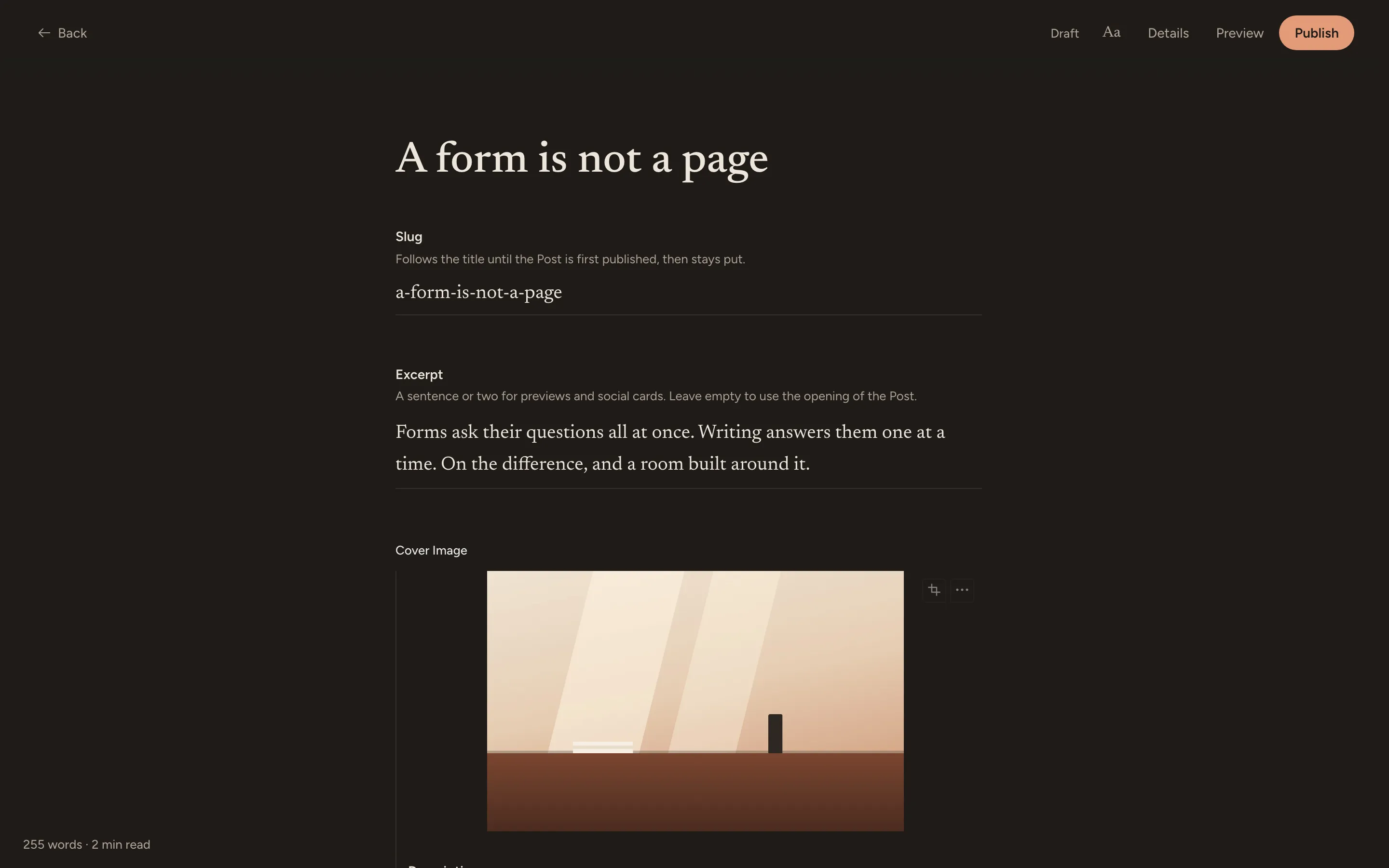
Details, without leaving
Every other field on the document is one click away, inside the room: slug, excerpt, cover image, tags and fields of your own.
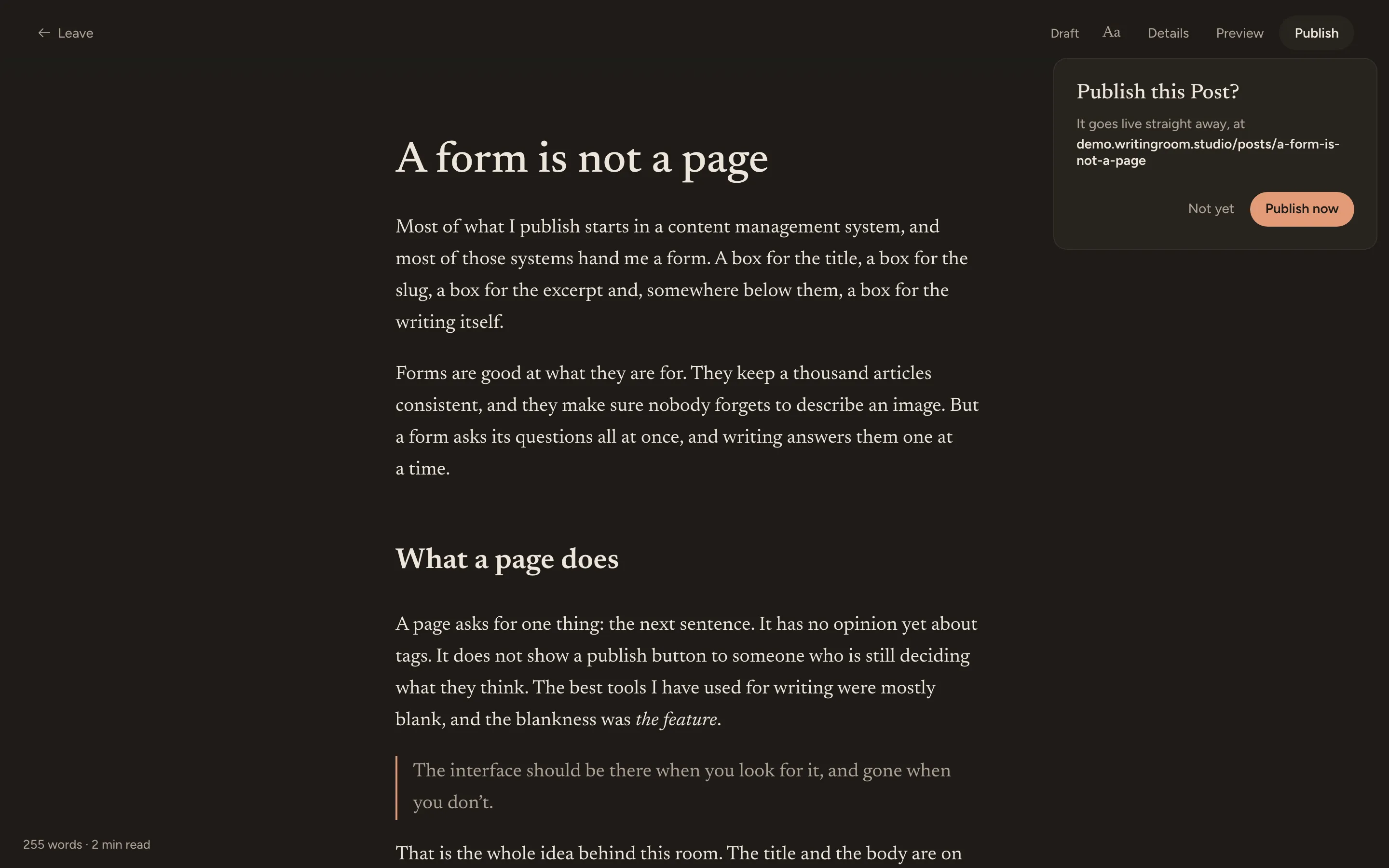
Publish from the room
The slug is settled and the date stamped for you. If something blocks the publish, the room takes you straight to it.
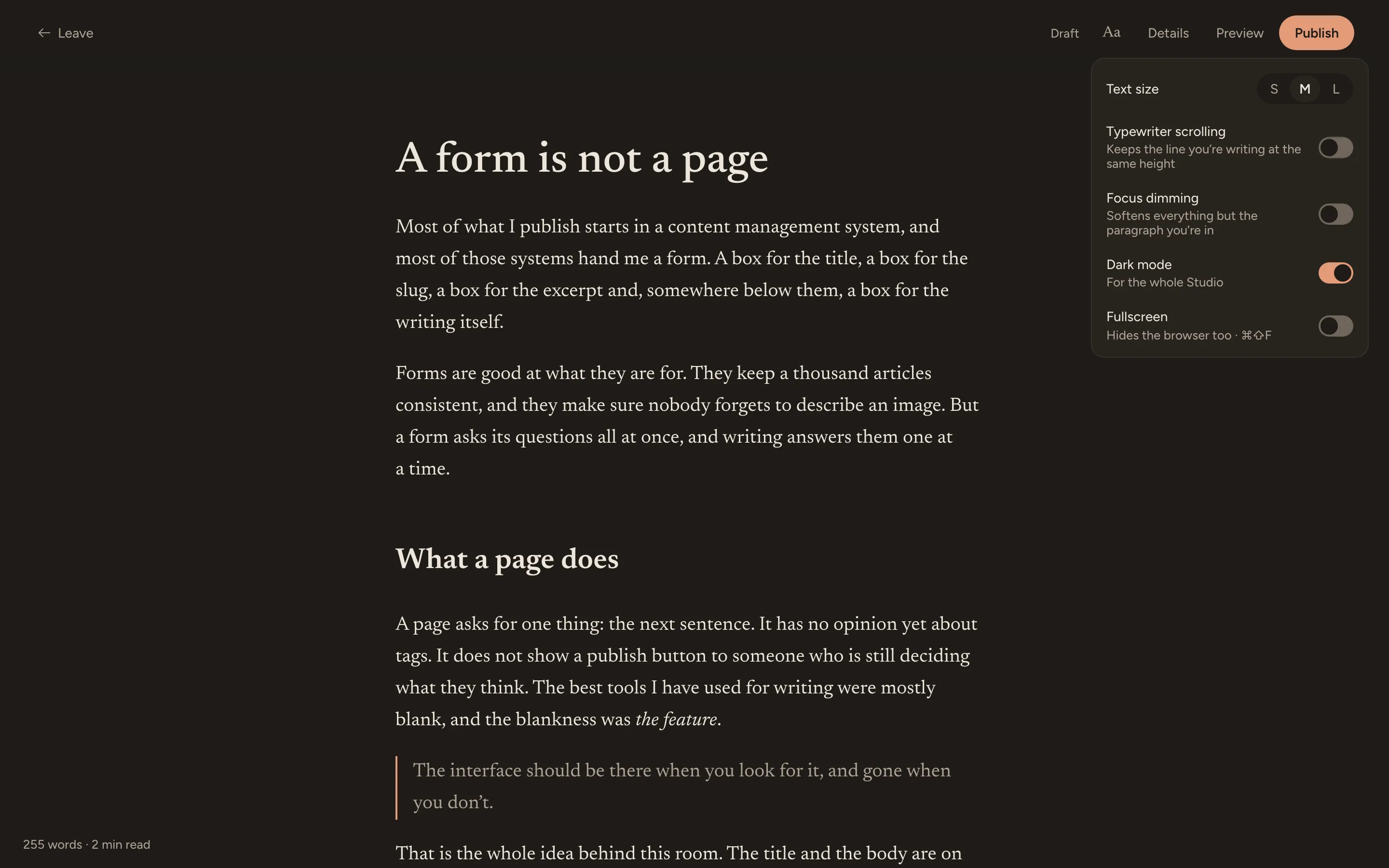
Yours to settle into
Text size, typewriter scrolling, focus dimming, dark mode and fullscreen, in one menu. It works on a phone as well.
Set up in three steps
You need a Studio on Sanity v6. The room finds each type's title, body, slug and published date by itself.
Step 1
Add the package
npm install sanity-plugin-writing-roomStep 2
Add the plugin, with the types you write in
// sanity.config.ts
import {writingRoom} from 'sanity-plugin-writing-room'

plugins: [structureTool(), writingRoom({types: ['post']})]
Step 3
Turn off Studio auto-updates
// sanity.cli.ts
deployment: {autoUpdates: false}
About step 3. The room uses Sanity's App SDK, and an auto-updating Studio loads its own separate copy, so the room can't start in a deployed Studio until auto-updates are off. To upgrade later, bump sanity and deploy again. Read the full install guide.
Starting from scratch?
Calm Editor is a template with a Studio, the Writing Room, and a Reading Site in the same typography and colour. Clone it to get both ends of a blog at once.